Client website · Architectural lighting

Lambert Lighting

Lambert makes architectural lighting in Rhode Island. I rebuilt its website into a fast, specification-ready catalogue: 13 generated pages, a WebGL light field, side-by-side spec tables and file requests that arrive pre-filled, with no framework and a locked-down security policy.

ClientLambert Architectural Lighting
StatusClient project
My roleDesign, architecture, front end, logo

The short version

What it is

The website and online catalogue for an architectural lighting manufacturer, used by architects, lighting designers and specifiers to choose fixtures and request IES, LDT, Revit and cut-sheet files.

What I built

The visual design and a refined logo, the catalogue architecture, a custom static site generator, a WebGL lighting field, comparable specification tables and the pre-filled request workflow.

Why it stands out

It treats a B2B catalogue as a working tool: application-first navigation, specs side by side, and a lean static build that is fast, checkable and hard to attack.
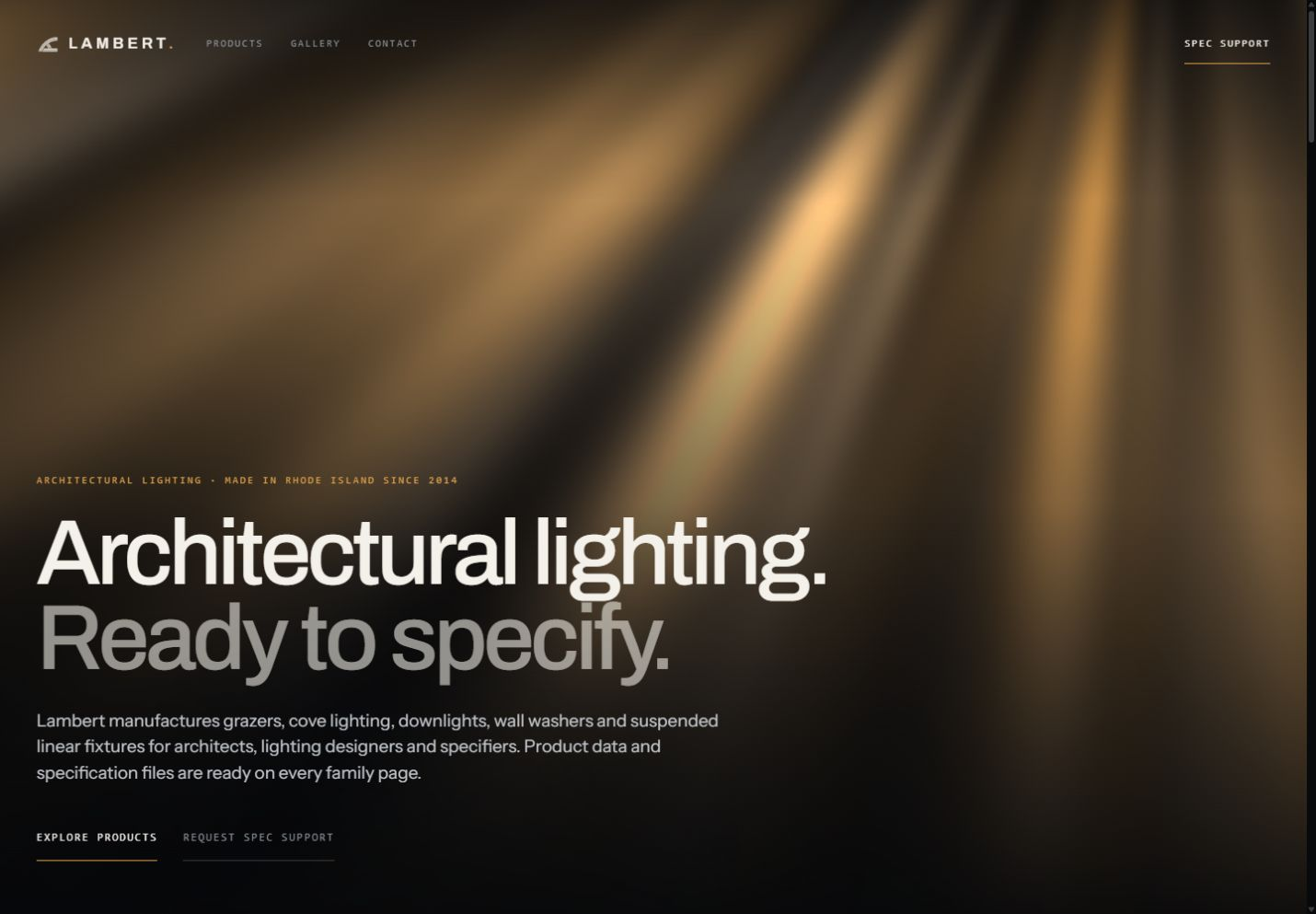
Lambert homepage: warm architectural light in a dark field with the headline Architectural lighting. Ready to specify.

The opening: a luminous field, restrained navigation and a direct route into the product range.

5Application families
7Product configurations
14Legacy terms still mapped
13Production pages

Delivered scope of the rebuilt site.

01 · The journey

From a space
to a specification.

The main navigation starts with grazer, cove, downlight, suspended linear and wall wash. Each family explains where the light goes before asking anyone to compare product codes.

Step 1 · Start with the application
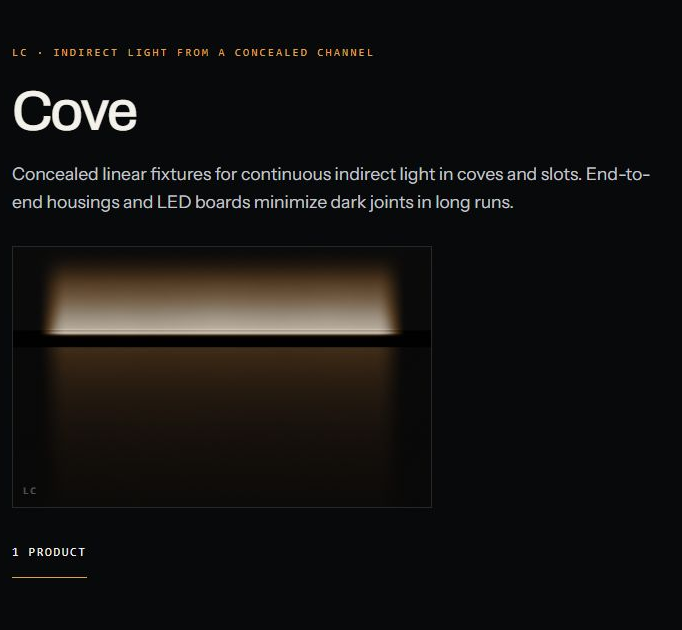
Cove family page: indirect light from a concealed channel, a short description and an illuminated lighting stage.
  1. Purpose first. Indirect light from a concealed channel.
  2. The light explains the family. Each family gets its own lighting stage.

Desktop detail of the Cove lighting stage.

Step 2 · Compare in one table
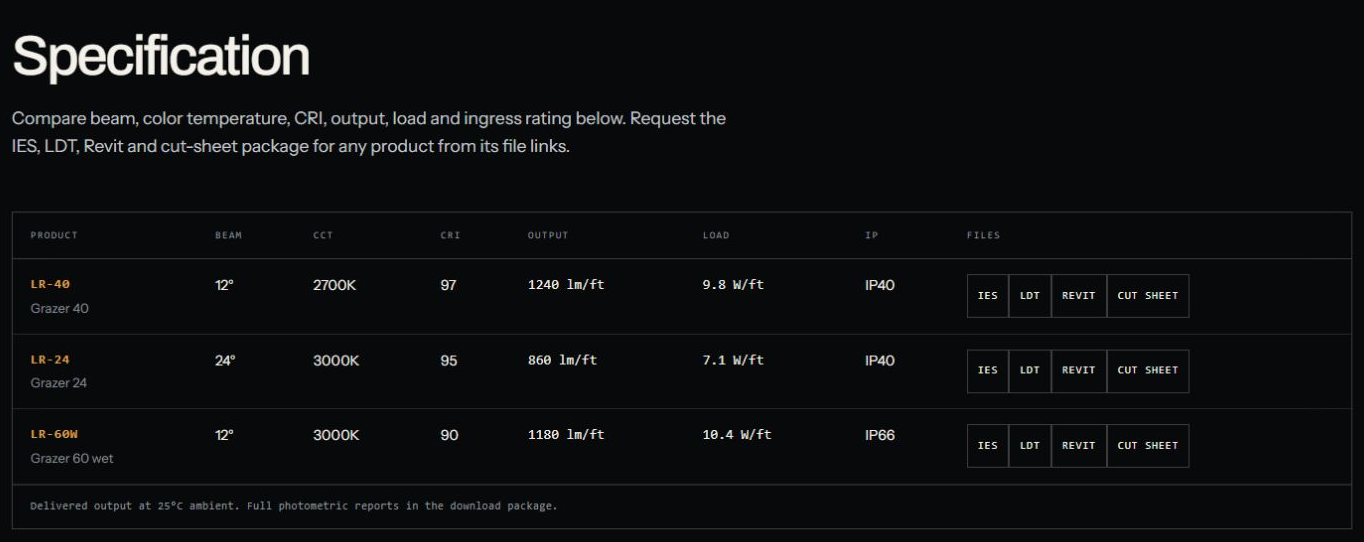
Grazer specification table comparing LR-40, LR-24 and LR-60W by beam, colour temperature, CRI, output, load and IP rating, with IES, LDT, Revit and cut sheet buttons on each row.
  1. One family, one table. Beam, CCT, CRI, output, load and IP for every configuration.
  2. Files beside the row. IES, LDT, Revit and cut sheet belong to the configuration they describe.
  3. Conditions stated. Delivered output at 25°C ambient.

Product values shown belong to the supplied catalogue data.

Step 3 · Request without retyping
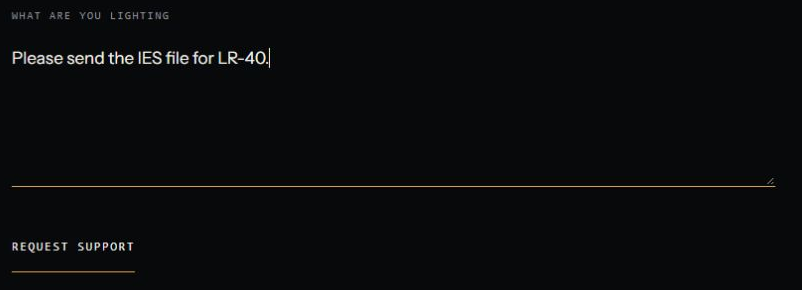
Request form message pre-filled with Please send the IES file for LR-40.
  1. Pre-filled. Choosing IES for LR-40 opens the request with both already in the message.

The delivered request workflow.

02 · Vocabulary

New structure.
Old words still work.

Returning buyers know the old catalogue names. Rather than break that habit, a crosswalk sends every familiar term to the right application family.

Familiar termApplication family
  • LED TapeCove
  • Cove LightingCove
  • Linear ExtrusionsSuspended linear
  • GrazersGrazer

Examples from the 14-term category crosswalk. The application families are the main route; the old words remain a way in.

03 · Build

One model behind
the catalogue.

Families, configurations, project content and legacy mappings live in one versioned content file. A custom generator turns them into static pages, specification tables, contextual request links and product metadata, so a new configuration uses the existing structure instead of another hand-built page.

Build checks catch missing families and product codes, wrong heading counts, and images without dimensions or alternative text. Gallery code loads only on pages that use a gallery.

One catalogue model

  1. Versioned contentFamilies, configurations, crosswalk, projects
  2. Static generatorBuilds every page from the model
  3. Family pages and tablesComparable specifications
  4. Request links and schemaContextual file requests, canonical URLs, product metadata

Fails the build

  • Missing dataAbsent families or product codes, wrong heading counts, images without dimensions or alt text.
04 · Engineering

Fast, static
and locked down.

A catalogue does not need a heavy framework. Every page is pre-built HTML, the only scripts are first-party bundles, and the browser is told exactly what it may load.

Speed

Lean delivery

  • Static HTML generated at build time
  • Every image in AVIF and WebP at four sizes
  • Blurred placeholders while images load
  • Gallery code only where a gallery exists
Craft

Light as interface

  • WebGL light field on the lightweight OGL library
  • Distinct lighting stage per family
  • Settled states for reduced motion and data
Security

Locked-down headers

  • Content Security Policy: scripts from the site only
  • No framing, no plugins, no base-URL tricks
  • HSTS with preload
  • Canonical host enforced by permanent redirect
05 · Decisions

What the design
chose.

Applications before products.

Chose
Five families, each explaining where the light goes.
Instead of
A product-code catalogue mirroring the old PDF.
Trade-off
Returning buyers lose their familiar entry point, which is why the crosswalk exists.

A generator, not a CMS.

Chose
A small static generator over one content file.
Instead of
A client-facing CMS.
Trade-off
Every update goes through the build, so every page stays fast, checked and consistent.

Explain, do not simulate.

Chose
Bespoke lighting stages per family, settled for reduced motion and data.
Instead of
Photometric-looking renders.
Trade-off
The stages are explanatory; specifications stay readable without the effect.
06 · Where it stands

A usable catalogue,
with a clear handoff.

Delivered
  • Application-first navigation across five families
  • Comparable specification tables
  • Pre-filled IES, LDT, Revit and cut-sheet requests
  • Legacy category crosswalk
  • Static generator with build checks
  • Logo refined for digital use
Handoff

The request flow and browser validation were delivered ready for Lambert’s team to connect to their inquiry system.

Why it holds up

The next product addition is a content entry, not another design exercise.

Working on a product catalogue? Start a conversation

All projects ↗
Contact

Available for select projects and opportunities

Have a website that needs to win work?

alex@jardinestudio.com

Let’s work together. Have a project in mind or a role you’re hiring for? I’d like to hear about it.

Open email app
Toronto, Canada · --:--Working remotelyLinkedIn (opens in a new tab)